7. Other device options

The last group of settings, within the Settings option, is named Other and can be adjusted: Start screen, Menu auto exit, Help menu, Button sound and Factory reset. Items Firmware and About are informational only and cannot be adjusted.

Other group options

7.1. Start screen

By moving the screen cursor to Start screen and touching the multifunction button , a screen appears for enabling (Enable ) or disabling () the display of the thermostat manufacturer’s logo after the thermostat is switched on.
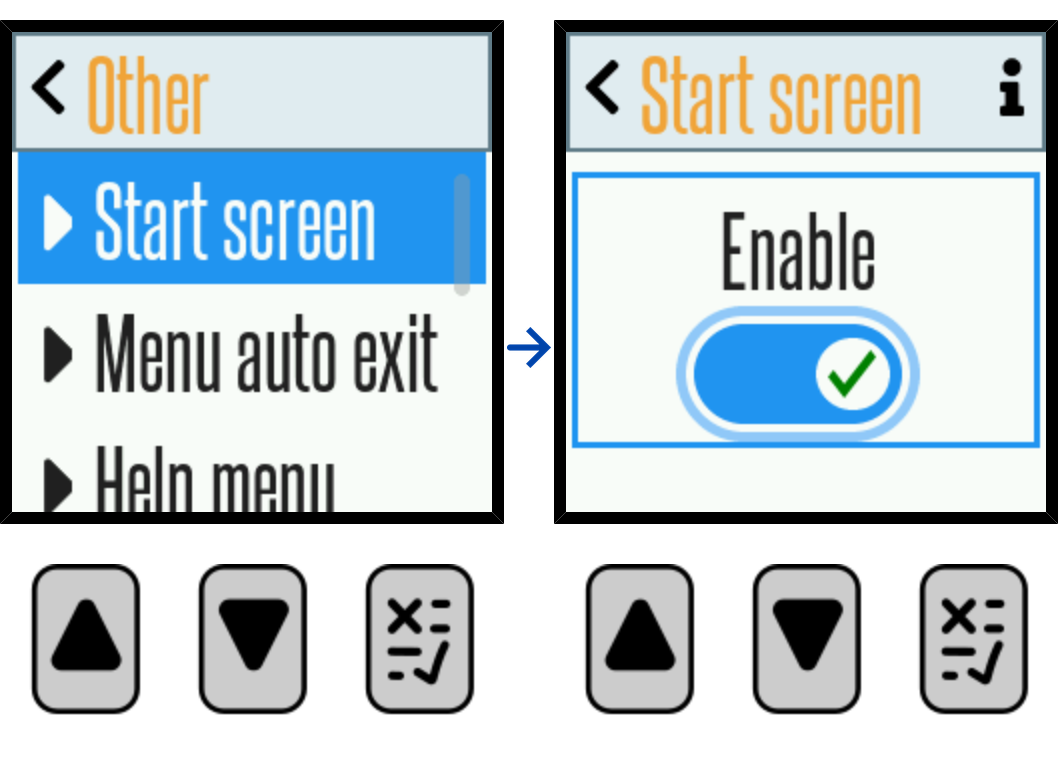
images38_start_screen

7.2. Menu auto exit

By moving the screen cursor to Menu auto exit and touching the multifunction button , a screen appears for enabling (Enable ) or disabling () automatic exit from the thermostat settings. If automatic exit is enabled, the option to also have it as Visible () or not () will immediately be offered. Being Visible means that a line will appear at the bottom of the main screen display, which will shrink, indicating the passage of the last 10 seconds before automatic exit. Regardless of the choice of Visible or not, the next adjustment option is Auto save. It is selected using the multifunction button , and confirming the selection with enables automatic saving of new settings after the time set in the next step elapses. The set time for Menu auto exit and Auto save can be adjusted within the range of 20 to 120 seconds.

The factory setting for automatic exit is 25 seconds. Automatic saving of settings is not selected at the factory.

Automatic exit and saving of settings

7.3. Help menu

By moving the screen cursor to Help menu and touching the multifunction button , a screen appears for enabling (Enable ) or disabling () the visibility of the information icon and access to the help system, which briefly describes the currently being adjusted function or the size being adjusted on the thermostat. The factory setting is such that the help system is enabled, and it is recommended not to disable it, as it is very useful.

Enabling the help menu

7.4. Button sound

By moving the screen cursor to Button sound and touching the multifunction button , a screen appears for enabling (Enable ) or disabling () the sound of the internal buzzer when buttons are pressed.
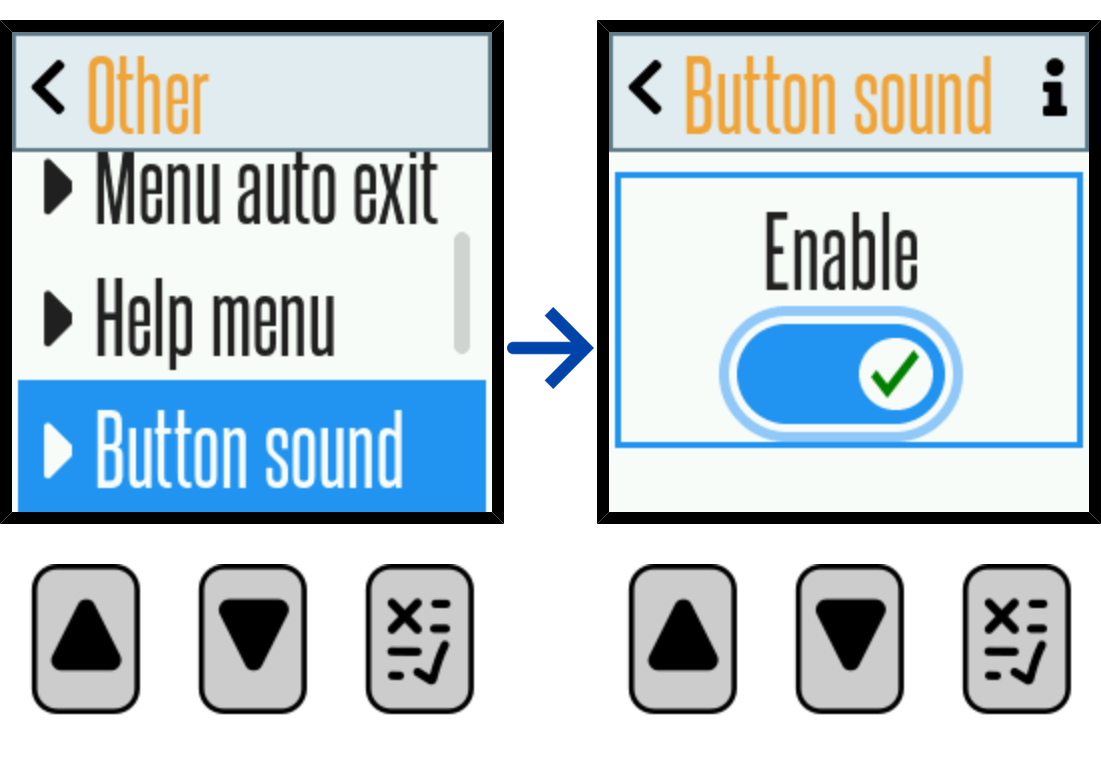
images41_button_sound

7.5. Firmware

By moving the screen cursor to Firmware and touching the multifunction button , a screen appears with information about the version of the firmware applied in the device.
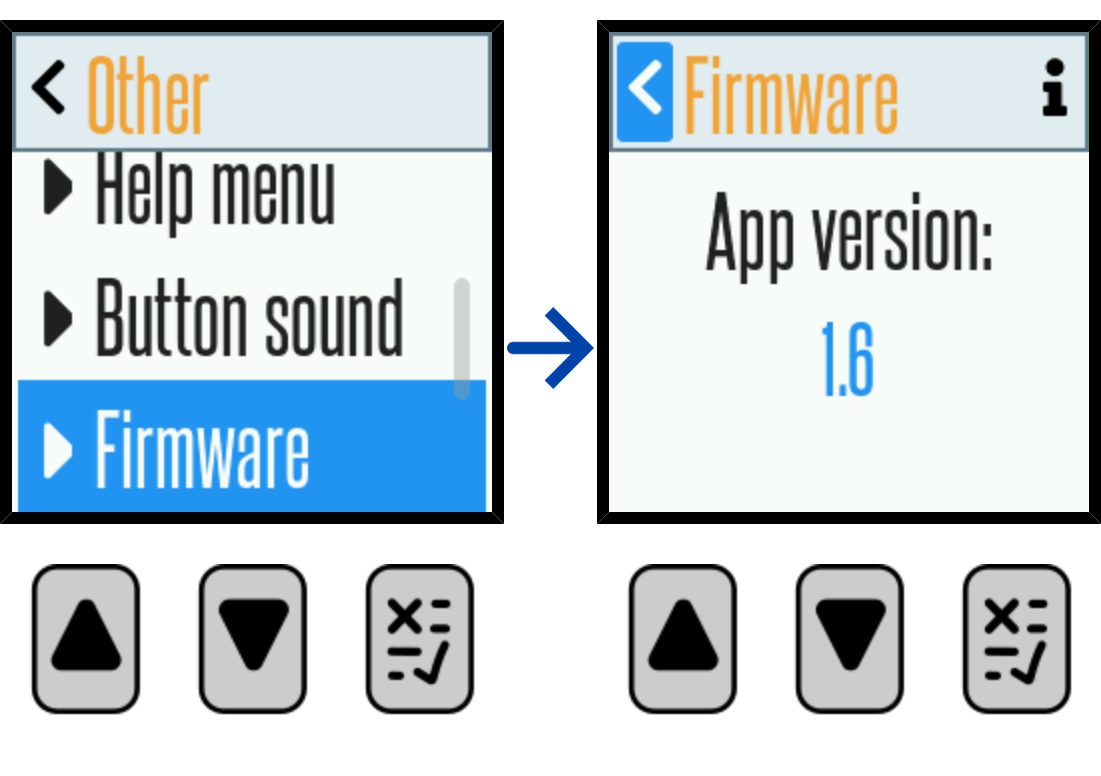
images42_firmware

7.6. About

By moving the screen cursor to About and touching the multifunction button , a screen appears with data on the device name and manufacturer.

Device information

7.7. Factory reset

By moving the screen cursor to Factory reset and touching the multifunction button , a screen Reset to default factory settings appears, warning that touching the multifunction button again will cause a reset, i.e., returning all our adjusted settings to the factory defaults. As this is a very drastic action, to carry it out, we must confirm this decision on the screen with the message Do you want to reset the settings to factory defaults?, after which the information Settings reset to factory default settings will appear. The thermostat will switch off, then switch back on and show the initial and main screen display.

Reset to factory settings